

It means you played all the available layouts. But don’t worry, we constantly update Mahjong Trails and our team is already working to add more layouts.
Meanwhile, you can keep playing to get all 3 stars in each layout, increase your total score to get a free coin, or beat your friends’ score. The new layouts are awesome, we are sure you will love them.
Please open the game and scroll down to the bottom of the page to find it. Send it to us to help us give you the best answer to your question.
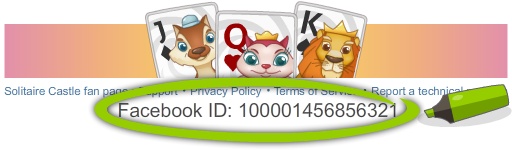
Try a different browser (We recommend Firefox or Edge) Clean your cache and try again Send us a technical report and please include in your message if you tried the above suggestions.
Google Chrome:
- On your computer, open Chrome
- At the top right, click More
- Click More tools and then Clear browsing data
- At the top, choose a time range. To delete everything, select All time
- Check the boxes next to “Cookies and other site data” and “Cached images and files”
- Click Clear data
Mozilla Firefox:
- Click the menu button and choose Options
- Select the Privacy & Security panel
- In the Cookies and Site Data section, click Clear Data
- Remove the check mark in front of Cookies and Site Data
- With Cached Web Content check marked, click the Clear button
- Close the about:preferences page. Any changes you’ve made will automatically be saved
Apple’s Safari:
- Select History > Clear History, then click the pop-up menu
- Choose how far back you want your browsing history cleared
If Develop is part of your main navigation:
- Select Develop > Empty Caches
Internet Explorer:
- In Internet Explorer, select the Tools button, point to Safety, and then select Delete browsing history
- Choose the types of data or files you want to remove from your PC, and then select Delete
Microsoft Edge:
-
- To view your browsing history, in your Microsoft Edge browser, select Favorites > History
- Select Clear history
- Choose the types of data you want to remove from your PC. For example, you may want to remove browsing history and cookies, but keep the history for autofill and passwords.
- Select Clear
Unless otherwise stated, we will delete or anonymise your data as soon as it is no longer needed (e.g. your e-mail address after you have unsubscribed from our newsletter). Your data will also be deleted or anonymised automatically, if and when the mandatory storage period expires (e.g. those required by law for payment transactions). Such data may be needed for longer periods of time for legal reasons. You can request information about all personal data we have stored about you.
If you have specific questions about your personal data, deletion of your personal data or similar things, you can contact us via e-mail at info@megazebra.com
At any point, you can contact us if you want your user data deleted. For this, please send an email to info@megazebra.com with your user ID. Your user ID is found underneath the game or in the settings menu.
This is a technical issue related to Facebook. It appears that you have disabled third-party apps on Facebook, which has blocked Mahjong Trails. To resolve the issue, you should enable third-party apps in your Facebook settings. Alternatively, you can play the game on your mobile phone and connect to Facebook. This will unblock your desktop game.
We are sorry for the inconvenience.
Send us a message on our Facebook Page with your Facebook UID and the transactions details and we will get back to you shortly.
It is very simple to buy coins for Mahjong Trails. In the upper left corner, where your current amount of coins is displayed, simply click on the “+”sign and you can see all offers. Select the one that suits you the best and then follow the instructions.
- Refresh your game by disabling cache and try again
- Try going back to Flash, can you see your gifts and items?
- Send us a technical report and we’ll compensate for your loss until the issue is fixed. Please include in your message if you tried the above suggestions
With the new update, you can purchase or spend miles in the Quests/Miles wheel (green airplane icon on the left) to spin the wheel and win boosters. Each spin costs 500 miles.
You can find and claim your gifts in the Message Center, which is represented by the envelope icon in the top-right corner of the screen. You can also send gifts to friends from this same screen. Before you can send gifts, you must first claim your own. To do this, simply click “Accept All.”
First, try to reload the game. Second, check if you have the latest version of Flash Player. Third, delete temporary files such as cache and cookies. You can find the instructions here. Try to switch to a different browser, such as Google Chrome or Mozilla Firefox, and check your internet connection.
If none of the above worked, try to open the game and scroll down at the bottom of the page, where you will find a link called “Report a technical problem”. Please use it to send us a report and we will investigate it. Don’t forget to write us a few details and to let us know if you tried the above. This way, the process will be faster and you will be able to play again sooner.
The percentage is the number of pairs matched out of the total. It has nothing to do with the score. To play the next layout, match pairs of tiles until you reach the first star on the golden bar above the layout. The points are calculated based on several factors, and they help you increase your total score in order to receive 1 free coin each time you level up. Good luck :)!
If you have at least one golden star for the layout but can’t play the next one, it is very likely that you need a ticket to continue your journey and play the layouts in the next city. Ask 3 friends to help you or use coins to get the ticket and play more layouts.
Most probably you purchased 1 extra minute or an extra reshuffle from the parrot- when it appeared for 10 seconds on the screen while you were playing. If you will provide us your Facebook UID (see the instructions below), we can check and give you the exact answer. Send us a message on our Facebook Page.